
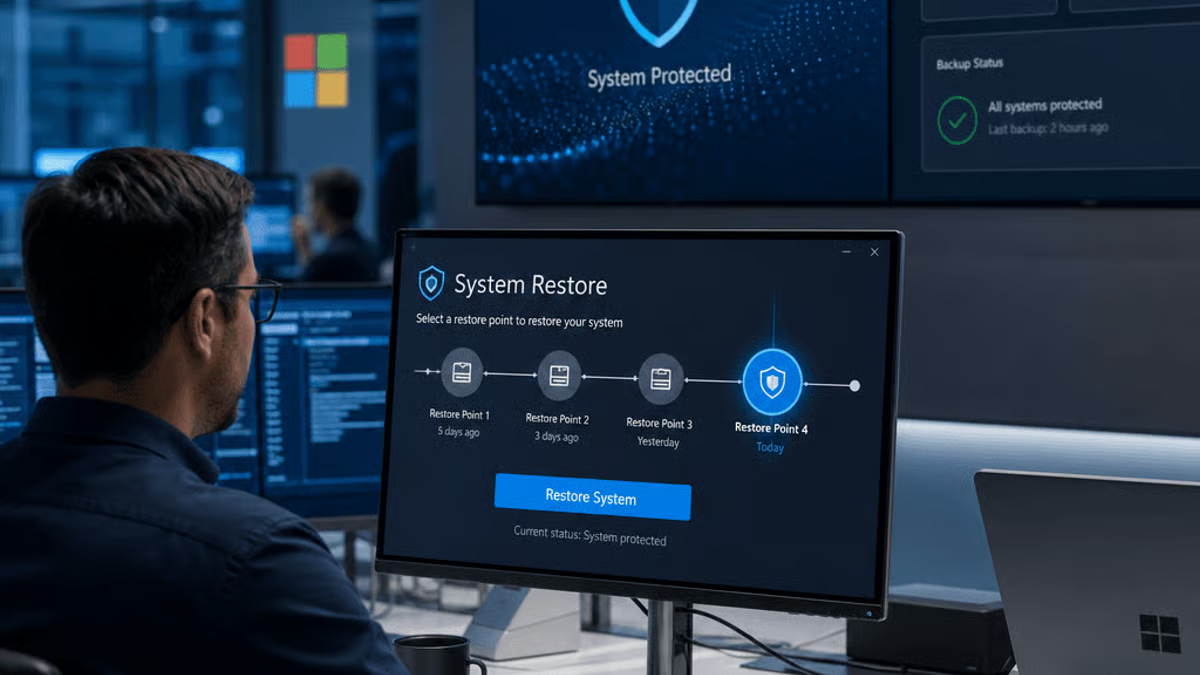
Microsoft is rolling out Point-in-Time Restore, a Windows 11 recovery feature born directly from the chaos of July 2024’s CrowdStrike incident that crashed millions of PCs worldwide. Part of the company’s Windows Resiliency Initiative, the tool acts as a system-wide undo button, letting IT admins and users roll back their machines before catastrophic updates hit. It’s Microsoft’s most aggressive move yet to prevent another global Windows meltdown, and it signals a fundamental shift in how the company thinks about OS stability in an era where a single bad patch can ground airlines and shutter hospitals.
Microsoft just unveiled its insurance policy against another CrowdStrike-style catastrophe. The company’s new Point-in-Time Restore feature for Windows 11 went live as part of the Windows Resiliency Initiative, a direct answer to the July 2024 incident that turned millions of Windows machines into expensive paperweights.
The backstory is still fresh in every IT admin’s nightmare rotation. A faulty CrowdStrike Falcon sensor update pushed out in mid-2024 triggered cascading blue screens across enterprise environments worldwide, hitting airlines, hospitals, and financial institutions. The recovery process took days in some cases, with technicians manually booting machines into safe mode to remove the problematic update. Microsoft watched its reputation for enterprise reliability take a beating it hadn’t seen since the Windows Vista era.
Point-in-Time Restore is Microsoft’s answer, and it’s more ambitious than your standard System Restore. The tool creates automatic snapshots of Windows installations before major updates or system changes, storing them in protected partitions that survive even kernel-level crashes. When disaster strikes, users or admins can boot into a recovery environment and select a restore point from before the problematic update landed. Think of it as Git version control, but for your entire operating system.
The timing couldn’t be more deliberate. Microsoft announced the Windows Resiliency Initiative just weeks after the CrowdStrike incident, promising a suite of tools to make Windows more fault-tolerant against third-party software failures. Point-in-Time Restore sits at the center of that strategy, addressing the core problem: when a kernel-mode driver or system-level security tool goes rogue, Windows traditionally offers few escape routes short of clean reinstalls or manual intervention.
What makes this different from existing recovery options is the level of automation and the granularity. Windows has long offered System Restore, but that feature has been unreliable at best, often failing to capture the exact system state needed to recover from driver-level failures. Point-in-Time Restore promises snapshot consistency at the volume shadow copy level, with built-in verification to ensure restore points are actually bootable. Microsoft’s betting that IT teams will enable this by default after experiencing the alternative firsthand.
The enterprise implications are significant. According to industry estimates, the CrowdStrike outage cost affected organizations hundreds of millions in downtime and recovery costs. A tool that could have rolled back those updates in minutes instead of days would have been worth its weight in Azure credits. Microsoft knows this, which is why Point-in-Time Restore is being positioned as a must-have for any organization running third-party security software or automatic update policies.
But there are questions Microsoft hasn’t fully addressed yet. Storage requirements for maintaining multiple system snapshots could be substantial, especially on devices with limited disk space. The company hasn’t detailed how many restore points will be kept by default, how long they’ll persist, or how much overhead the snapshot process will add to update cycles. For enterprises managing thousands of endpoints, those details matter immensely.
Competitors are watching closely. Apple has long touted macOS’s stability and recovery options, while Linux distributions have offered snapshot-based recovery through tools like Timeshift for years. Microsoft is playing catch-up in some ways, but doing so with the massive scale and enterprise integration that only Windows can provide. The real test will be whether Point-in-Time Restore works when it’s needed most, under the exact high-stress conditions that the CrowdStrike incident created.
The feature is rolling out now to Windows 11 systems, though Microsoft hasn’t specified which editions or update channels will get it first. The smart money says enterprise customers will see it before consumer devices, given the corporate focus of the Windows Resiliency Initiative. IT administrators should watch for new Group Policy settings and configuration options in upcoming Windows updates, as Microsoft typically gates major recovery features behind management controls.
What’s particularly interesting is how this changes the calculus around automatic updates. For years, Microsoft has pushed organizations toward fully automated patching to close security vulnerabilities faster. But the CrowdStrike disaster proved that automation without safety nets can amplify failures at global scale. Point-in-Time Restore offers a middle path: keep the automation, but add a rollback option that doesn’t require booting from USB drives or calling in specialized recovery teams.
Microsoft’s Point-in-Time Restore represents more than just a new recovery tool – it’s an admission that Windows needs better defenses against the very security software meant to protect it. The CrowdStrike incident exposed how fragile even the most hardened enterprise environments can be when a single update goes wrong at scale. Whether this feature becomes the standard safety net Microsoft hopes for depends on execution details we haven’t seen yet: performance overhead, storage costs, and most critically, whether it actually works when kernel-mode drivers are crashing. For IT teams still nursing PTSD from last summer’s blue screen epidemic, Point-in-Time Restore offers a glimmer of hope that the next disaster might come with an undo button. Microsoft just needs to make sure that button works when millions of machines are counting on it.










Leave a Reply