
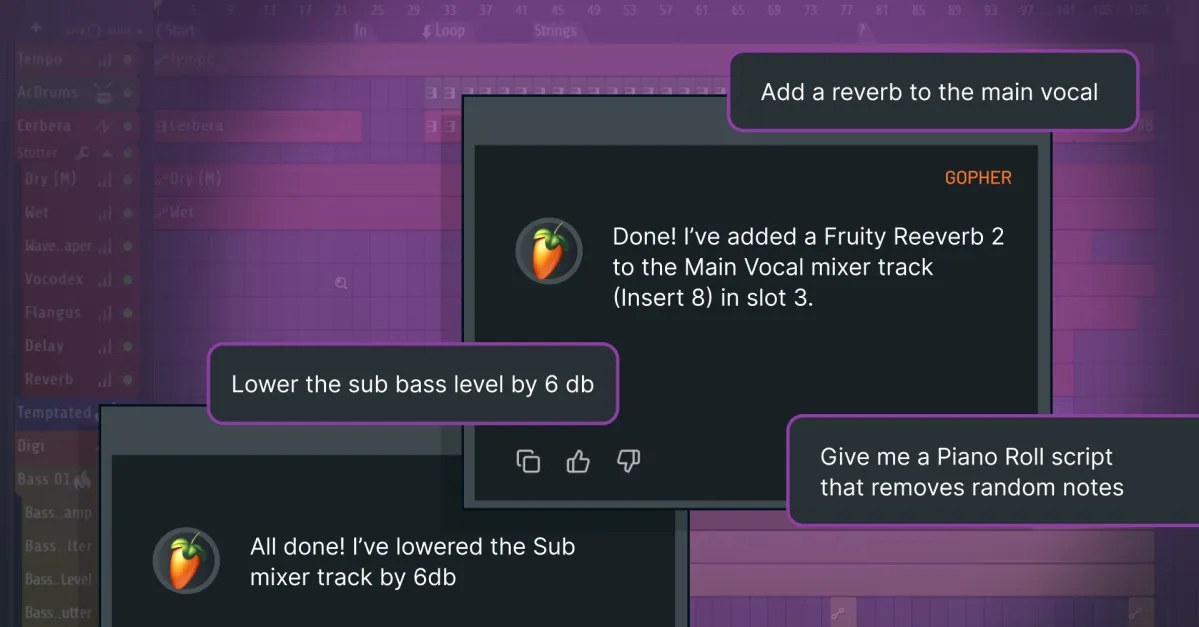
Last year, Image Line introduced Gopher for FL Studio, an AI chatbot that was basically a glorified instruction manual. You asked it how to do something, and it would serve up the relevant instructions. It’s the kind of thing I actually use AI for on a semi-regular basis. But in the new release, Gopher can actually execute actions on your behalf. I was able to ask Gopher to lay down a four-on-the-floor kick, with snares on the backbeat, then add a gated reverb on the snare for that ‘80s pomp, and it executed the instructions flawlessly.
Gopher does have some limitations. It can’t create and draw automation for you. It can’t insert notes or chords into melodic tracks. And it can’t select specific presets inside of plug-ins. So, if you ask it to load up a Rhodes electric piano sound, it will create a channel with the revamped Flex instrument loaded, but locating a Rhodes patch is up to you. Image Line also says it’s not training its AI on user data — your recording session is private.
The completely rebuilt Flex is one of the other headline features in FL Studio 2026. Flex is Image Line’s do-it-all virtual instrument, similar to Native Instruments Kontakt, with dozens of sound packs available that cover everything from vintage synths, to realistic guitars, and glitchy weirdness. The new preset browser has improved filters and genre categories, while the engine itself has gotten a lot less resource-intensive.
Image Line has also added automatic cloud backups for projects for FL Cloud subscribers and a new always-listening “audio logger,” which captures the 60 seconds of the master output so even if you forgot to hit record, you can still save that idea.
As always, FL Studio 2026 is available as a free upgrade.







Leave a Reply